
Review: Bigme B6 Pro colour e-ink tablet with pen support
Review sample provided by Bigme
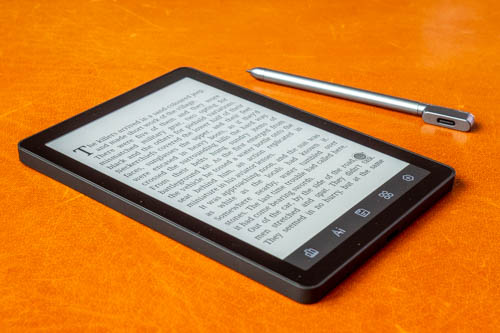
The Bigme B6 Pro is a 6-inch colour e-ink tablet with pen support released in August 2026.
The tablet comes with 8GB RAM, 256GB storage, MediaTek Dimensity 1080 and Android 14. Price at the time of review is USD 299. Price is noticeably higher compared to the Bigme B6 BW and Bigme B6 Colour but you do get more here, so which to get depends on how much you want to spend.
Specifications
| Feature | Bigme B6 Pro | Bigme B6 Colour |
|---|---|---|
| Release Date | Aug 2026 | Aug 2025 |
| Retail Price (USD) at time of review | 269 | 159 |
| Display | 6" Color E‑Ink (Kaleido 3) | 6" Color E‑Ink (Kaleido 3) |
| Resolution | 1072 × 1448 | 1072 × 1448 |
| PPI | 300 PPI B/W, 150 PPI Color | 300 PPI B/W, 150 PPI Color |
| Front Light | Warm + Cold LED | Warm + Cold LED |
| Processor | MediaTek Dimensity 1080 | MediaTek Helio P35 |
| RAM | 8 GB | 4 GB |
| Storage | 256 GB | 64 GB (microSD expandable) |
| Operating System | Android 14 | Android 14 |
| Battery | 2120 mAh | 2100 mAh |
| Connectivity | Wi‑Fi, Bluetooth, USB‑C, 4G LTE, no microSD | Wi‑Fi, Bluetooth, USB‑C, microSD |
| Stylus Support | Yes | No |
| Audio | Mono speaker, Dual mic, Type‑C audio | Mono speaker, Dual mic, Type‑C audio |
| Dimensions | 108 × 149.3 × 6.98 mm | 108 × 149.3 × 6.98 mm |
| Weight | 176 g | 176 g |
Things included
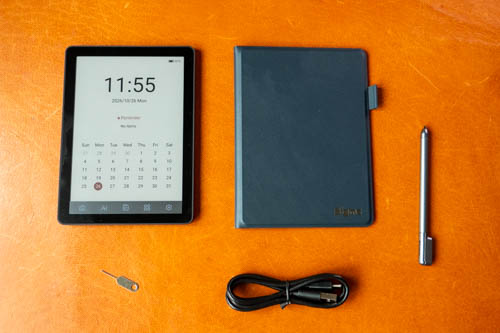
- Tablet
- Case
- SIM ejector
- USB-A to USB-C charging cable
- Pen
- User manual
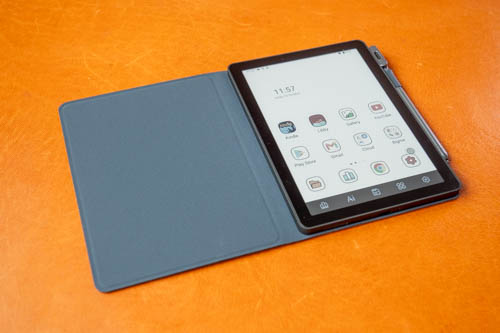
The magnetic flip case allows you to remove the tablet quickly and easily. It also supports auto-wake and sleep.
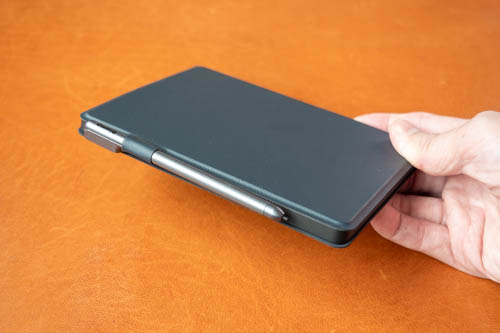
There's a pen holder by the side.
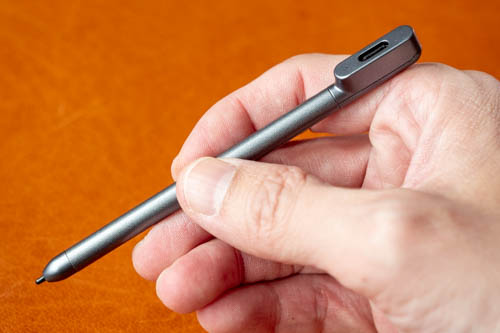
The pen is quite small and won't be comfortable to hold for long periods of time. It's important to remember to charge the pen regularly (set a monthly calendar alarm) so as not to damage the small battery in it, and I'm speaking from experience.
Design
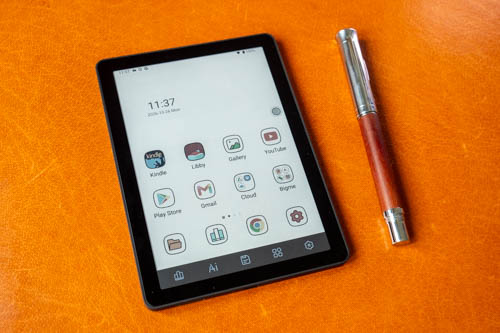
A 6-ink tablet is definitely compact and portable.
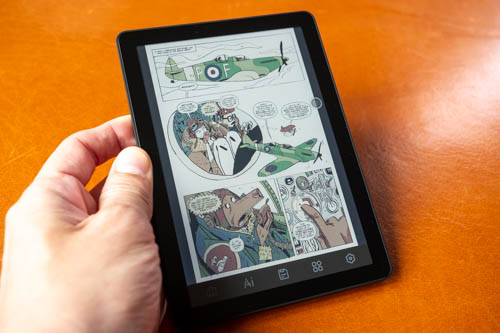
The size is not suitable for reading comics, PDFs or magazines because text would be too small, unless you don't mind constantly zooming in and out. So this tablet size is best suited for reading text, and you don't really need colours for reading text, so you can actually consider the more affordable Bigme B6 BW instead. However, the Bigme B6 Pro is noticeably more responsive and is the better tablet.
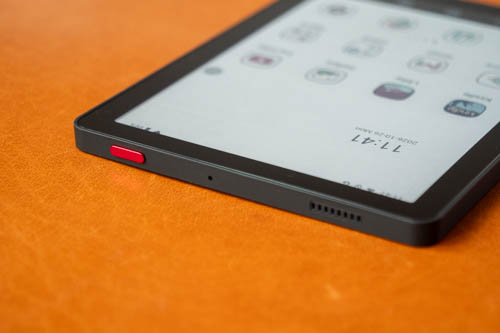
The red power button does not have a fingerprint scanner. Having to type in password each time to unlock the tablet is inconvenient.
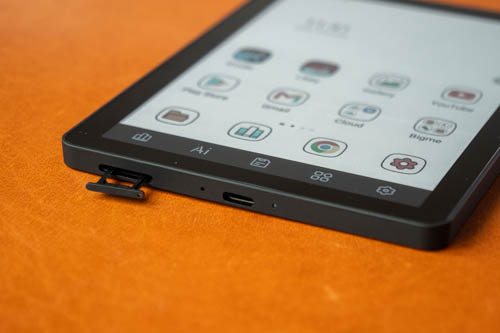
The USB-C port only has USB 2 transfer speed. Speaker sounds hollow. The SIM tray accepts only nano SIM and not microSD card. Since there's 4G LTE cellular support, you can make calls and send SMS with this tablet, or install Whatsapp. You will get better audio and mic quality from wireless Bluetooth earphones though.
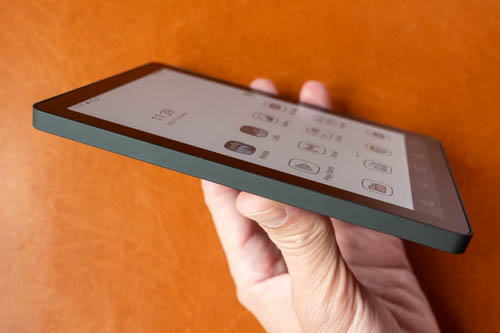
Tablet weighs 176g which is considered lightweight. I can still hold this with the flip case for reading about it's more comfortable to hold it without the case.
The viewing angle of the display is wide. The e-ink almost looks like it's on the surface of the display.
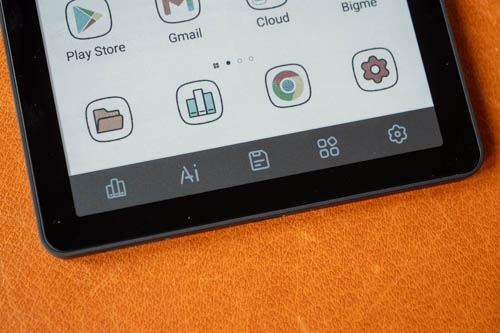
There are 5 softkeys which can be customised to other shortcuts. Default navigation gestures supported are left swipe for app switcher, middle for home, right for a full refresh. There's no Android navigation bar option available from the settings.
Display
The display uses E Ink Kaleido 3, capable of displaying 4,096 colors. Resolution is 1,072 x 1,448 px. Pixel density is 300 PPI for black-and-white content and 150 PPI for color content.
Refresh rate is an impressive 75Hz so it's actually high enough for watching videos. Scrolling animation also looks really smooth.
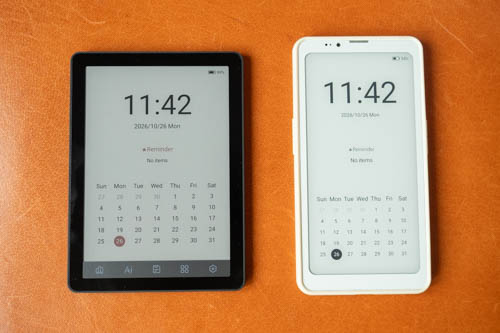
Shown above is the colour e-ink display beside the BW e-ink display of the Bigme HiBreak Pro. Colour e-ink canvas is darker and so front light is almost always needed unless you're using the phone under direct sunlight. And even with good lighting, the contrast isn't as good as BW e-ink, so that's the limitation with colour e-ink currently.
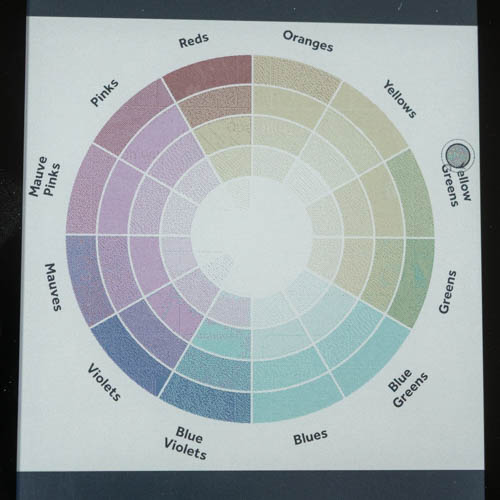
Colour e-ink can only display a limited number of colours, so certain colour information will be lost. The colour wheel above has many colours that are indistinguishable from one another even though all colours are supposed to look different.
For example with Google Maps, shapes of buildings may not be seen because those colours cannot be produced.
There's the E-ink Centre that can tweak colours and contrast to show the buildings, but other colours will be affected as well.

The default text quality looks alright. There are some rough edges but does not impact reading experience. You can even have the text look fuller by adjusting the e-ink settings.
If you look really close, you can see the colour matrix or grain of the colour e-ink display. With BW e-ink there's no such matrix/grain, which is why BW e-ink displays look lighter, brighter.
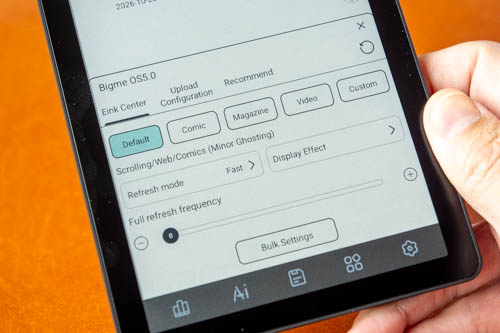
The e-ink settings will affect image quality, image retention (or ghosting) and page flip latency. So which setting to choose is just personal preference. You can set specific settings to specific apps and those settings will load automatically depending on the app that's active.
If you like to change e-ink settings often, it's good to set it as a shortcut into one of the five softkeys.
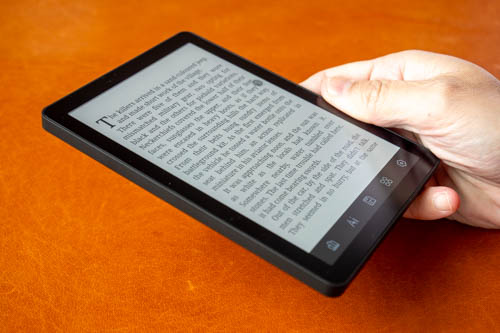
Text reading experience is good. BW e-ink will provide slightly better text reading experience due to better contrast.
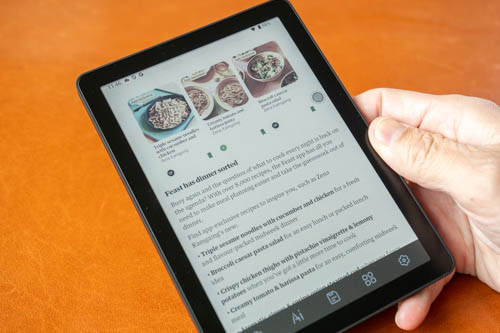
For web browsing, webpages will be presented as in tablet mode rather than desktop mode unless you set that manually. Web browsing experience is alright. Webpages are able to load almost instantly. Scrolling is smooth, responsive and there's minimal ghosting or image retention.

You can actually watch videos on this tablet since the refresh rate is up to 75Hz, but videos or colour images are obviously not gonna look as good on an e-ink display that can only display 4000+ colours.
Using social media apps is not an enjoyable experience due to the limited colours and that's a good thing since it will prevent you from doomscrolling. I personally don't use an e-ink tablet for anything else other than reading.
Performance
The MediaTek Dimensity 1080 processor is fast and responsive. Performance is definitely more snappy compared to the other Bigme B6 tablets. There's 8GB RAM which is sufficient for keeping more apps in memory. 256GB storage is more than sufficient for storing huge ebooks on local storage, and if you need more storage there's always cloud storage.
OS and software
The tablet runs on Android 14 and there's official support for Google Play Store. The current version of Android is 17 by the way. The company did not provide any info as to whether the tablet will get any OS updates in the future so I would assume this tablet will get no OS updates, but there will be Bigme firmware updates.
Reading apps can run on old Android OS so I'm not worried about those apps being outdated.
Bigme's own UI is quite basic with minimal features.
The more important software features are the ability to disconnect wireless when tablet goes to sleep and softkey customisation.
Line tests
The pen is sometimes affected by the magnets from the magnetic case so it's best to write without the case.
Writing experience is not ideal because the parallax gap is quite obvious, so writing feels off. Even though the display looks laminated, there's still a noticeable gap between the line and the pen tip.
There's some pen latency but that's not something that bothers me. The parallax gap bothers me more than the pen latency.
The pen supports pressure sensitivity and palm rejection works fine.
There's some tactile experience when writing on the matte display. Holding the small pen for writing isn't that comfortable for long periods of time. The tablet is alright for note taking but the note taking experience is definitely not one of its main selling features.
Battery life
Battery life is 2100 mAh. Battery life from my experience is around 7hrs with front light enabled all the time. Battery life will depend on what you're doing on the tablet and the front light.
In the settings, you can set the tablet to disable Wifi and Bluetooth when going into sleep mode, and that will help conserve battery life.
Conclusion
It's good that Bigme has released a more powerful version of the B6 tablet. The performance here is way more responsive. There's also 8GB RAM and 256GB storage which is great. And there's 4G cellular if you need it.
Reading experience is good. The tablet size is small for reading comics, PDFs and magazines, so this tablet is more suited for reading text. And for reading text, you don't really need a colour e-ink display. BW e-ink displays still provide contrast but there's no B6 BW tablet yet unfortunately. Text reading on this tablet is alright, good, I've no complains.
This is a decent tablet for the price. I wish Bigme can come up with a BW version of this tablet with similar specifications, which will be cheaper too. There is the Bigme B6 BW but the Pro version will be more responsive and provide better user experience.
Pros and cons at a glance
+ Clean simple design
+ Compact, portable, lightweight
+ Case is included
+ Decent build quality
+ Has 8GB RAM and 256GB storage
+ Display quality for text and colours look alright
+ The five softkeys are customisable
+ Fast responsive performance
+ Android 14 with google play store
+ Front light is even, no light leak from edge of frame
+ 7 hours of battery life is alright
+ Has cellular support
- 6-inch is not big for reading comics, PDFs, magazines
- Limited number of colours causes loss in certain info
- No biometric unlock
- Pen is sold separately
- There's noticeable parallax gap
- Pen is affected by magnets from magnetic case
- Note taking has latency and bugs
- Colour e-ink canvas is darker than BW e-ink canvas
- Text has grain due to colour e-ink canvas. Minor issue though
- Speaker sounds hollow
- Small battery capacity can lead to battery damage
Availability
The Bigme B6 Pro Colour is available from Bigme online store.


Add new comment