
Review: Bigme Hibreak Plus 6.1-inch colour e-ink phone
Review unit provided by Bigme
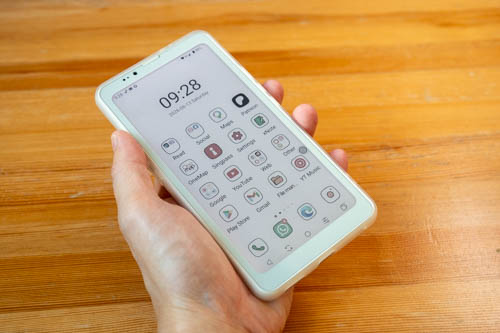
The Bigme HiBreak Plus is a budget 6.1-inch colour e-ink phone running on Android 14. The phone has 4GB RAM, 64GB storage with no microSD card slot, and uses the entry level Mediatek Helio P35 MT6765 processor.
Price at the time of review is USD 249 and there's a bundle with the pen for USD 289.
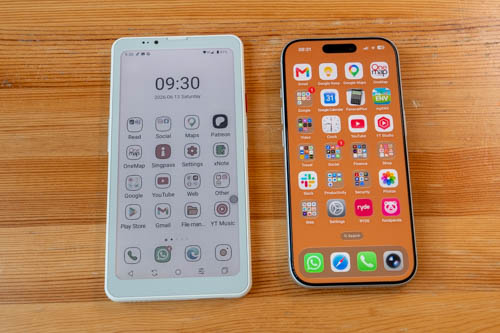
An e-ink phone is never going to match a normal smartphone in terms of features.
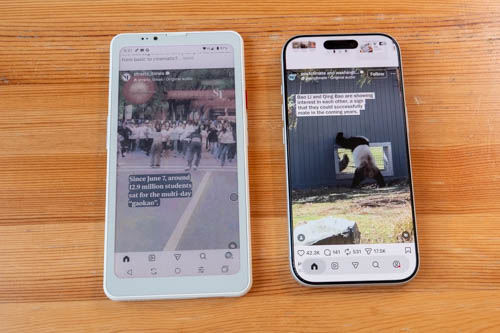
The main selling points of an e-ink phone, in my opinion, is for reading text and for keeping you away from social media, doomscrolling and using your phone that much.
The HiBreak Plus is one of several e-ink phones from Bigme. You can see the comparison table below. Click for a larger view.
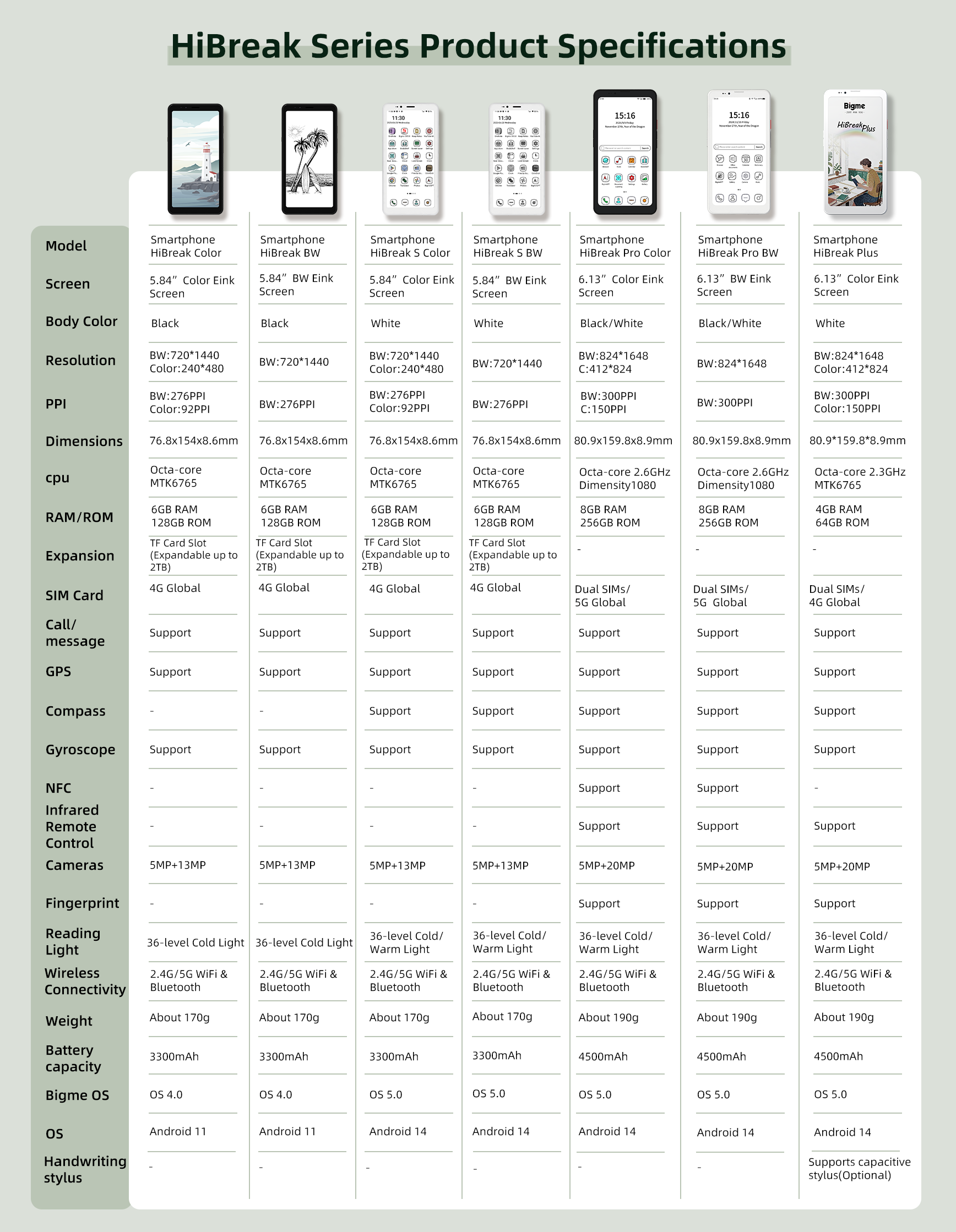
I have reviewed the HiBreak S Color, HiBreak Pro Color, HiBreak Pro BW and HiBreak in the past. My favourite is the Bigme HiBreak Pro BW which I still keep.
Video review
Specifications
| Specification | Bigme HiBreak Pro Color | Bigme HiBreak Pro BW | Bigme HiBreak Plus |
|---|---|---|---|
| Price | USD 400 | USD 440 | USD 250 |
| Screen | 6.13-inch Color E Ink Screen | 6.13-inch BW E Ink Screen | 6.13-inch Color E Ink Screen |
| Body color | Black / White | Black / White | White |
| Resolution | BW: 824×1648, Color: 412×824 | BW: 824×1648 | BW: 824×1648, Color: 412×824 |
| PPI | BW: 300 PPI, Color: 150 PPI | BW: 300 PPI | BW: 300 PPI, Color: 150 PPI |
| Dimensions | 80.9 × 159.8 × 8.9 mm | 80.9 × 159.8 × 8.9 mm | 80.9 × 159.8 × 8.9 mm |
| CPU | Octa-core 2.6 GHz Dimensity 1080 | Octa-core 2.6 GHz Dimensity 1080 | Octa-core 2.3 GHz MTK6765 |
| RAM / ROM | 8 GB RAM, 256 GB ROM | 8 GB RAM, 256 GB ROM | 4 GB RAM, 64 GB ROM |
| Expansion | - | - | - |
| SIM card | Dual SIMs, 5G Global | Dual SIMs, 5G Global | Dual SIMs, 4G Global |
| Call / message | Support | Support | Support |
| GPS | Support | Support | Support |
| Compass | Support | Support | Support |
| Gyroscope | Support | Support | Support |
| NFC | Support | Support | No |
| Infrared remote control | Support | Support | Support |
| Cameras (front + rear) | 5 MP + 20 MP | 5 MP + 20 MP | 5 MP + 20 MP |
| Fingerprint | Support | Support | Support |
| Reading light | 36-level cold / warm light | 36-level cold / warm light | 36-level cold / warm light |
| Wireless connectivity | 2.4G / 5G Wi‑Fi & Bluetooth | 2.4G / 5G Wi‑Fi & Bluetooth | 2.4G / 5G Wi‑Fi & Bluetooth |
| Weight | About 190 g | About 190 g | About 190 g |
| Battery capacity | 4500 mAh | 4500 mAh | 4500 mAh |
| Bigme OS | OS 5.0 | OS 5.0 | OS 5.0 |
| Android OS | Android 14 | Android 14 | Android 14 |
| Handwriting stylus | - | - | Supports capacitive stylus (optional) |
As you can see from the specifications, the HiBreak Pro phones are better in many ways, but prices are also much higher. So which to buy will come down to how much you need the extra features and your budget.
The biggest differences would be the amount of RAM and storage, processing power (responsiveness) and NFC for wireless contact payment.
Things included
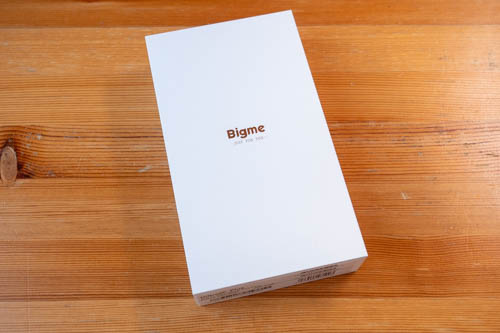
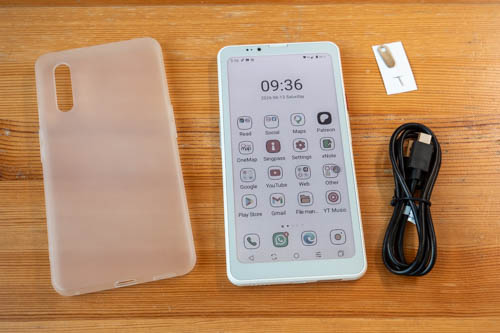
- Phone
- USB-A to USB-C charging cable
- SIM ejector
- Translucent soft case
There's also a bundle with the pen that also includes the case.
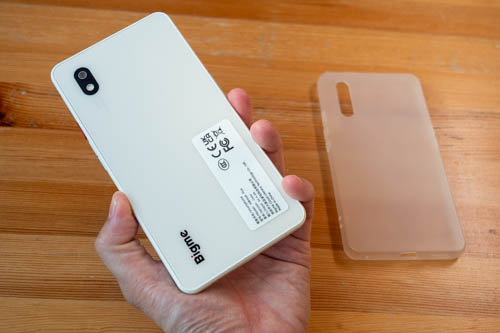
There's no mention of a case included with the phone-alone set but my review unit came with the translucent case.
Design
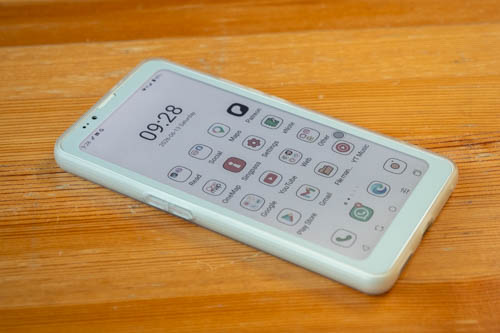
The phone is made with plastic and build quality is alright, does not feel too cheap. The design definitely look like phones from the early years of Android phones.
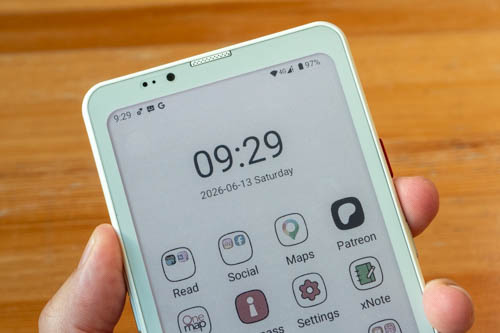
Body corners are rounded off, including corners for the display. Bezels are thicker than normal smartphones. There's a front camera but has no face unlock. Call quality from top speaker is alright.
Here in Singapore, the front camera has difficultly working with the SingPass app for security face check.
The back has a flash and 20MP camera.
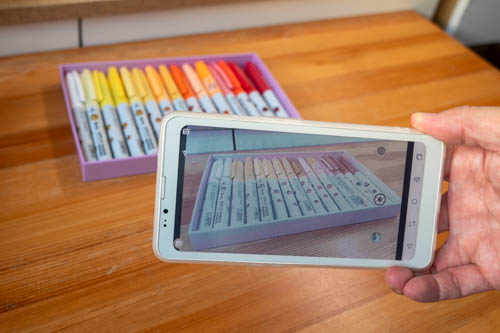
Photo quality from the main camera is just so-so. Main downsides here is the camera app takes time to launch, and switching between different modes takes time, and it's not possible to see how the image actually looks on screen is it's an e-ink display. So the display is used mostly for framing, and you can only check the photographs when you have them transferred to another device, tablet or computer.
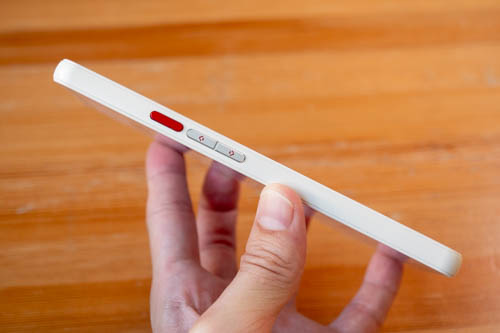
The power button is red and the built-in fingerprint scanner works well. Volume buttons are just below.
Phone is 8.9mm thick. Weight is 190g.
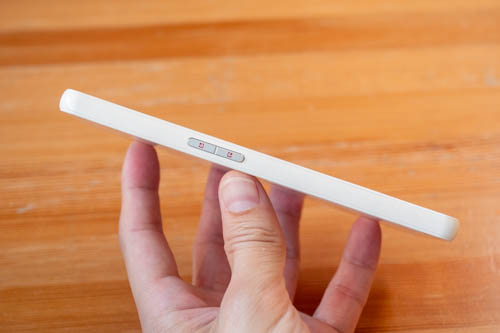
There are two custom buttons by the left and they can be customised with the following shortcuts:
- None
- Back home screen
- Back
- Recording transcription
- Screenshot
- Multitasking switcher
- Clear cache
- Full refresh
- Eink Center
- Previous page
- Next page
- Light switch
- Flashlight
- Volume +
- Volume -
- Take photos
- Answer a call
- DPAD Left
- DPAD right
- Previous track
- Next track
- Play/Pause
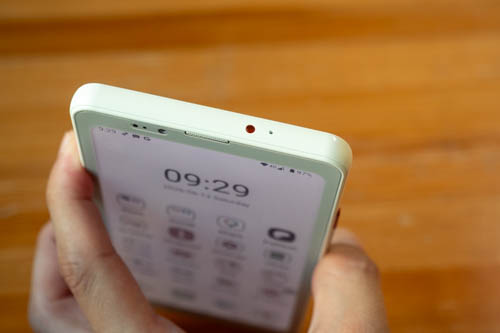
The phone has an infrared sensor at the top.
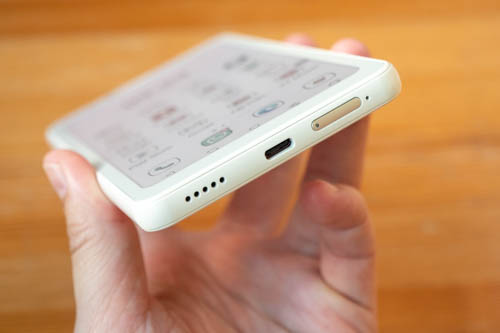
USB-C port has USB 2 transfer speed. Speaker sounds okay, nothing spectacular, loud enough. Audio from media only comes from bottom speaker and not the top speaker.
The SIM tray can hold 2 nano SIM, and this phone supports 4G and not 5G.
The phone does not have NFC so it cannot be used for wireless contact payment. That's a bummer because I'm fully cashless and cannot pay for public transport.
Display
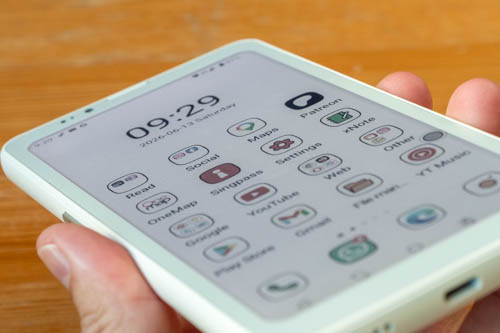
The display is a 6.1-inch colour e-ink Kaleido 3 display, and it's laminated. Resolution for BW is 824×1648 and for colour is 412×824.
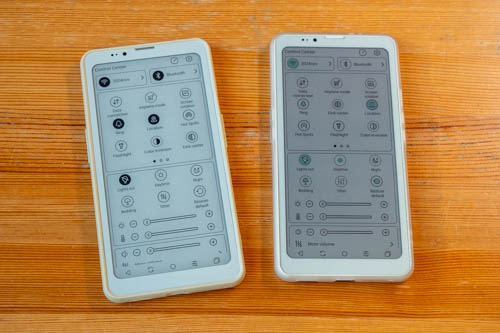
Shown above is the HiBreak Pro BW on the left and the HiBreak Plus Color on the right.
The Kaleido 3 e-ink canvas is noticeably darker than BW e-ink, and that affects contrast.
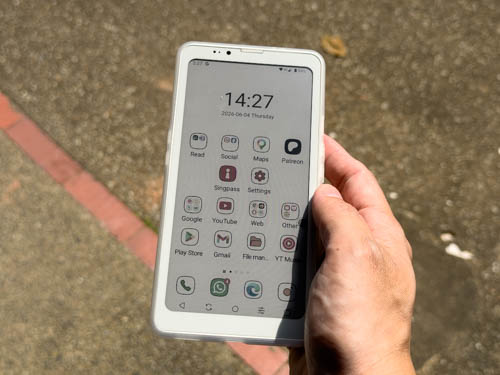
For use under direct sunlight, the darker e-ink canvas looks alright.
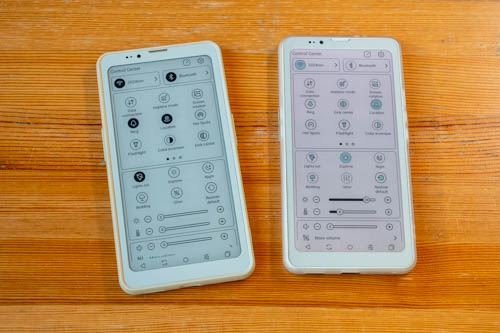
But when you're not under direct sunlight, it's almost always better to enable front light to improve the contrast. Even so the contrast isn't as good as BW e-ink without front light.
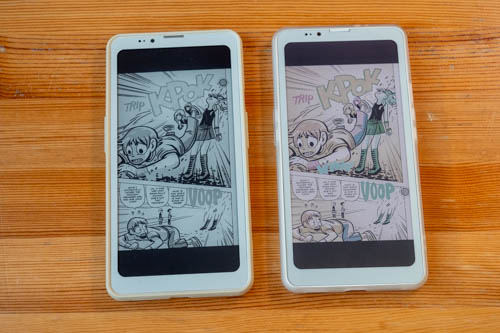
Colour is nice to have with an e-ink display, but it's not necessary. BW e-ink is able to convert colour images into BW well. And since there's a limited number of colours you can get with colour e-ink, you won't get the best looking colours anyway, which could be a pro or con.
But the biggest con for me for the colour e-ink is the contrast isn't as good as BW e-ink.
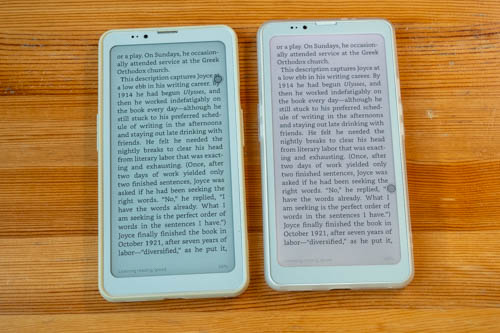
Text quality is quite similar. In the photo above, there's visible difference with the colour temperature of the displays, and the BW e-ink definitely has a more neutral gray, while the colour e-ink has this magneta tint that's only more noticeably in photo and not in real life.

This is text from the BW e-ink. Text quality is slightly better with the BW e-ink but it's not a big difference.

This is text from colour e-ink.
It's not obvious from the photo above, but the colour e-ink canvas actually has this diagonal line pattern in the background with extremely thin lines. That's probably what's causing the display to be darker. The BW e-ink canvas is just blank in areas without content.
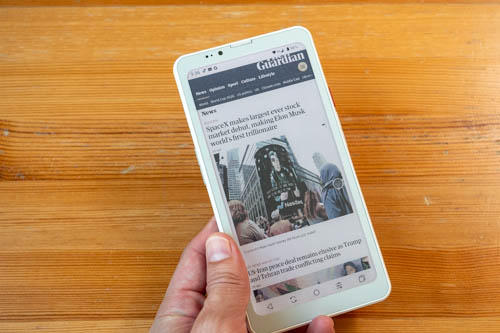
For web browsing, the scrolling motion is quite smooth. This phone has 53FPS refresh rate and that's considered quite fast for e-ink phones.
Ghosting or image retention is not obvious, and if there is any you can always choose different refresh modes to handle that.
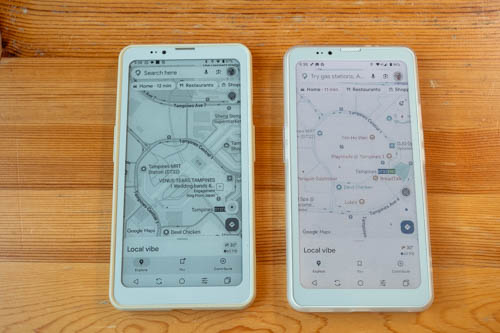
Because colour e-ink can only display a limited number of colours. Some colours will not show up well. For example with Google Maps, some roads and buildings may not appear because those colours do not show.
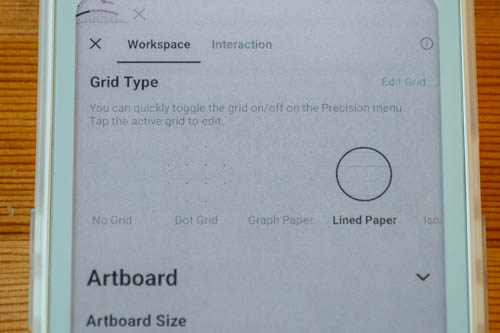
Third party note taking apps with grid or ruled lines may not show. Some apps show search boxes with a gray outline and those search boxes are difficult to find when you can't see the outline.
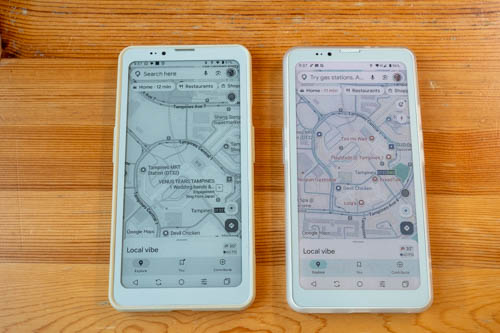
It is possible to use the Eink Center to tweak the colours until there's enough contrast.
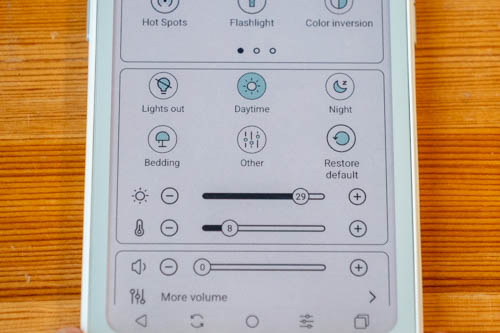
The phone has adjustment for cool light and warm light.
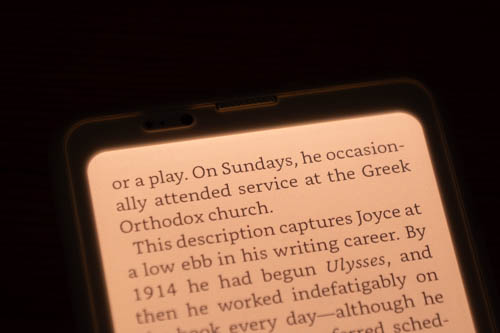
The lighting appear even enough but there's light spillage from the edges of the phone, between the display and frame of the phone.
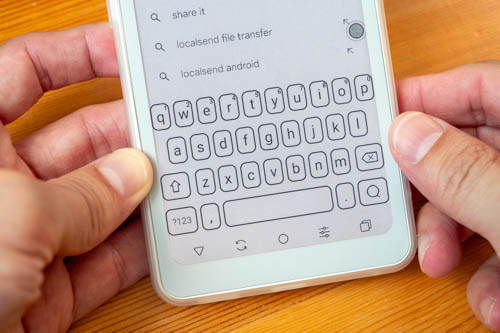
Keyboard is big enough for typing.
Note taking
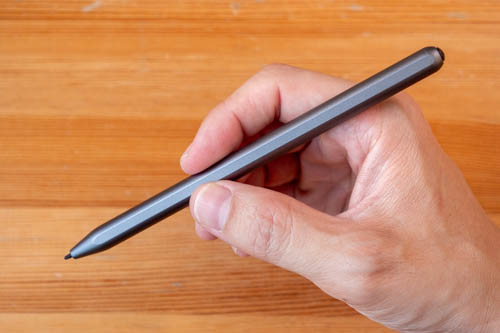
Bigme did not send me the pen to test with this phone, so I had to use the pen from the Bigme B7 Pro and Bigme B751C S to test.
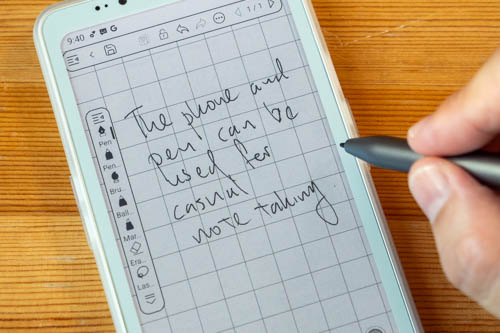
Handwriting and note taking experience is alright, affected mostly by latency. For casual note taking it's fine. It's never ideal to use a phone as a main note taking device.
Performance
The phone has 4GB RAM, 64GB storage and uses the MTK6765 processor.
Performance is a mixed bag. Basic use of the phone such as navigating phone menus, home screen is alright. Launching apps takes longer than expected. Download speed isn't as fast so web browsing or anything that uses internet is affected.
Once the apps are up and running, they run smooth enough. So with certain aspects of usage, there's the lack of responsiveness and that can be annoying.
The lack of responsiveness may make you want to use the phone less, which could be a good thing depending on perspective. But I prefer to have a phone that is more responsive in the event that I want to use it. So if you have more budget, the Bigme HiBreak Pro with the better processor will provide much better user experience.
4GB RAM is alright. If you do run out of memory, you can always quit old apps.
OS and software
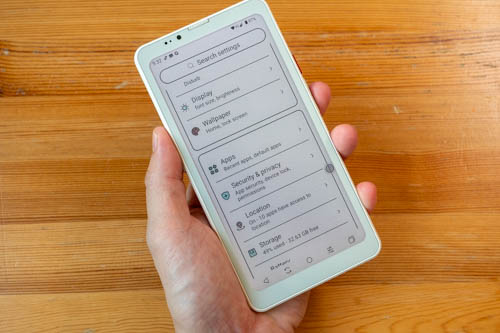
This phone runs on Android 14 and Bigme has its own UI on top. I'm testing firmware 1.4.6 and there are no major issues.
There certainly aren't as many features compared to normal smartphones. No raise to wake, tap to sleep.

There's official support for Google Play Store.
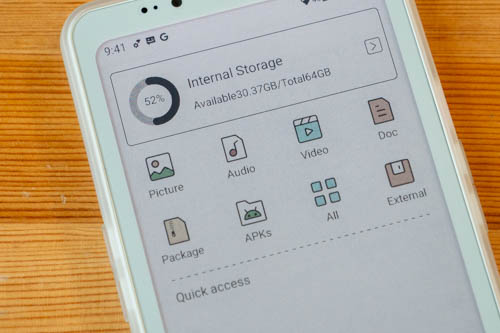
File manager has no direct integration to cloud storage services such as Microsoft OneDrive, Google Drive, Dropbox.
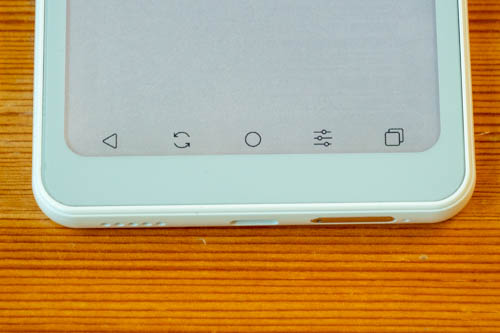
I prefer the use the navigation bar because it works better than the gesture controls, and you get five shortcuts.
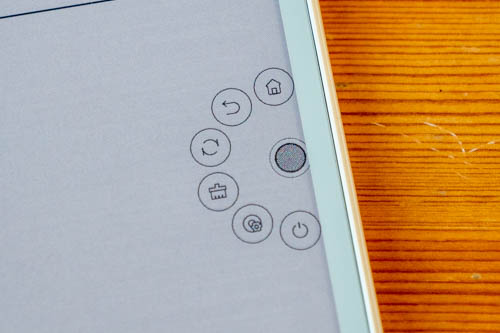
The customisable Float Ball provides more shortcuts, and can be disabled.
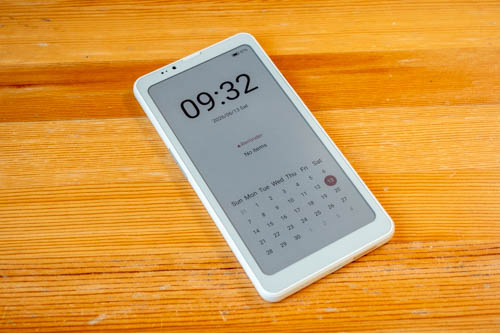
The homescreen does not have wallpaper because having a wallpaper will make it difficult to see the icons or apps.
For the lock screen wallpaper, which is the screensaver, I have set it to show the time (1, 5, 10, 30 min interval, never) and calendar. This always-on screensaver looks really cool.
Battery life
Battery capacity of 4500 mAh is considered large.
I do not have a number for battery life because it's difficult to test the battery life of an e-ink phone (and tablet). Battery life can certainly last for one whole day, or more, even with front light enabled.
My review unit has battery drain of 10-20% overnight when airplane mode is not enabled, so something must be draining the battery overnight but I can't find what's exactly causing the problem.
Conclusion
The Bigme HiBreak Plus exists probably because the company wanted to have a phone at a lower price point for people who do not want an expensive e-ink phone.
Because of the lower price point, many features have to be sacrificed. Not having NFC is a big con for me. The lack of responsiveness for certain aspect of the phone affects user experience and satisfaction. That's not gonna affect reading experience definitely. And it's not even going to affect social media experience you won't be using social media at all -- a fantastic upside actually.
If you're looking for a simple e-ink phone, the Bigme HiBreak Plus should suffice. But if you have more budget, I highly recommend the HiBreak Pro BW instead. I seris
Pros and cons at a glance
+ Design looks good
+ Decent build quality
+ Comes with a case
+ Excellent legibility under direct sunlight
+ Customisable side button
+ Audio quality is okay
+ Has fingerprint unlock
+ Customisable Float Ball provides many shortcuts
+ Day long battery life
- Lack of responsiveness launching apps, downloading
- No MicroSD card support
- Dark e-ink canvas means front light has to be enabled most of the time
- Noticeable front light leak from the frame of the phone
- No face unlock
- Limited number of display colours limits colour info
- Audio from media only comes from one speaker
- No NFC
- No auto-brightness for the front light
- Charging speed is slow
- No Android OS updates expected
Availability
The Bigme HiBreak Plus is available from the Bigme online store.



Add new comment