
Review: UPERFECT 14-inch touchscreen OLED portable display (GR14BU)
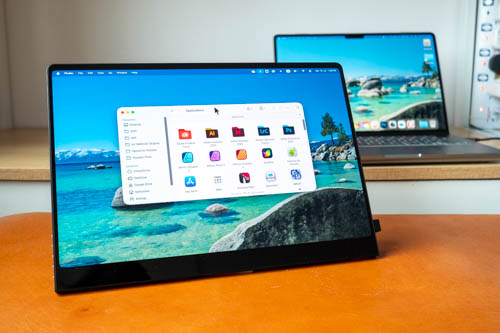
Review unit provided by UPERFECT
The UPERFECT GR14BU is a portable 14-inch touchscreen OLED display with 2880 x 1800 resolution and 120Hz refresh rate.
Price at time of review is USD 399. You can use coupon code TeohonTech50 for $50 off purchases over $300, and TeohonTech60 for $50 off purchases above $400. Worldwide free delivery is included. Tax may be calculated seperately.
Video review
Specifications
- Brand: UPERFECT
- Series: Blaze Gaming
- Model: GR14BU
- Item: 14 Inch OLED Portable Monitor
- Refresh Rate: 120Hz
- Response Time: 1ms
- Screen Size: 14 Inch
- Resolution: 2880 × 1800 (3K)
- Pixel Pitch: 0.1 mm
- Pixels Per Inch: 242.58 PPI
- Viewable Area: 309.14 × 173.89 mm (12.17 × 6.85 inch)
- Display Ratio: 16:10
- Viewing Angle: 178°
- Panel Type: OLED
- Screen Type: Mirror
- Contrast Ratio: 100000:1
- Brightness: 500 cd/m²
- Color Gamut: 110.50% Adobe / 109.0% DCI-P3
- Color Depth: 1.07B (8Bit+FRC)
- Touch Screen: Yes
- Gravity Sensor: No
- Built-in Battery: No
- HDR: No
- FreeSync: No
- Material: Aluminum
- Built-in Speakers: Yes, 2 × 8Ω 1W
- Vesa: Yes, 75 × 75 mm @ M4 × 4 mm
- Driver Free: Yes
- Stand Holder: Yes
- Cover Case: No
- Rated Power: 15W
- Product Size: 310 × 216 × 7 mm (12.2 × 8.5 × 0.28 inch)
- Package Size: 360 × 248 × 80 mm (14.17 × 9.76 × 3.15 inch)
- Net Weight: 0.59 kg (1.3 lbs)
- Package Weight: 1.4 kg (3.09 lbs)
- Interface:
- 2 × Full-Featured USB Type-C for Audio & Video Input
- 1 × Mini HDMI for Audio & Video Input
- What's in the box?
- 1 × 14 Inch OLED Portable Monitor
- 2 × USB-C to USB-C Cable
- 1 × Mini HDMI to HDMI Cable
- 1 × USB-A to USB-C Cable
- 1 × M4 × 4 mm Screw
- 1 × PD Power Adapter
- 1 × Manual
Things included
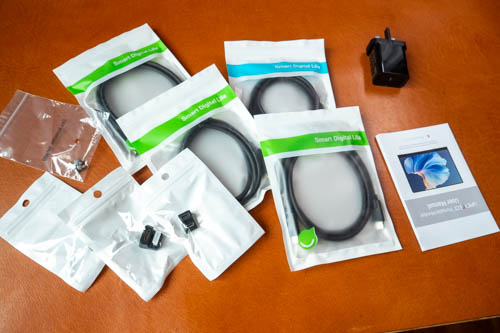
- Display
- 2x USB-C video cable
- 1x mini-HDMI to full-size HDMI cable
- 2x USB-C u-shape adapters
- 1x USB-A to USB-C data cable
- 1x HDMI u-shape adapters
- 30W USB-C charger
- Screws for VESA mount
- User manual
Design
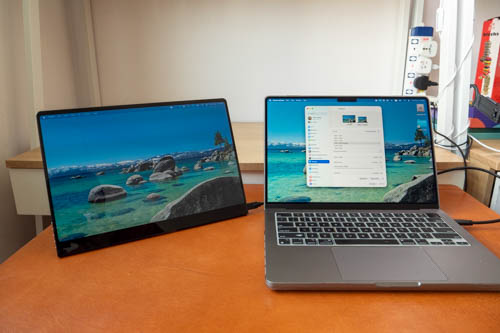
Design of the display is clean and simple.
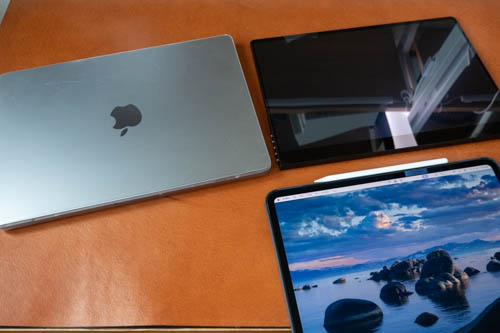
The size pairs well with 14-inch laptops, such as the 14-inch Macbook Pro shown above. And just below the display is the 13-inch M4 iPad Pro with matte display.
The display weighs 590g so it's not too heavy. You can get a laptop sleeve/bag to bring this and the cables around.
The display can be powered by a single USB-C video cable. If you use USB-C video cable, the display always powers on at 20% brightness which you always have to increase. If the display is connected to external power, it always powers on at 100% brightness, and this brightness is more than what you can get with the USB-C connection from the laptop.
If you're using a larger 15 or 16-inch laptop, I would recommend you get the larger UPERFECT UColor O (BE156NF) and UPERFECT UColor O2 (GR16HQ), both 16-inch OLED displays priced at USD 619 and USD 499 respectively. I've reviewed the UPERFECT UColor O2 before and it's a wonderful portable display, just more expensive.
If you use HDMI for video connection, you'll need to connect the display to external power, and if you want touchscreen functionality, you have to connect a USB data cable to your computer. So for HDMI, you need at least a 2-cable or 3-cable connection.
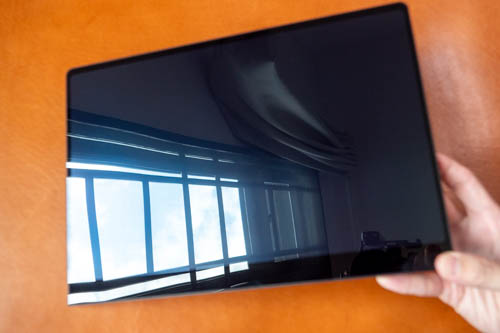
The display is quite reflective, so try to avoid pointing big light sources at it.
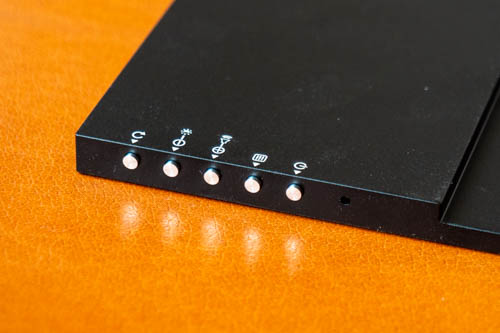
Buttons for the OSD are located by the left. There are shortcuts for volume and brightness. Audio quality from the low-powered speakers is weak and sounds hollow.
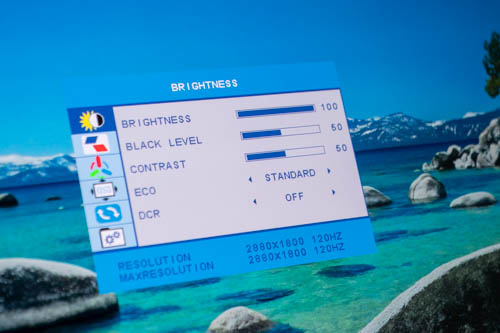
OSD has control for brightness, contrast, black level, RGB, colour temperature and other stuff.
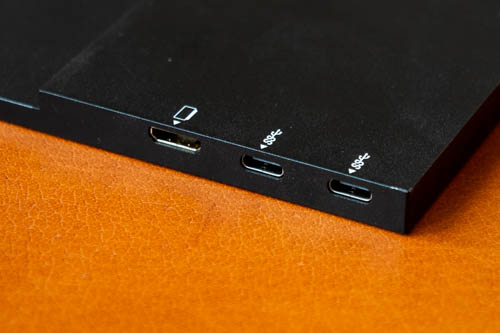
On the right side there are two USB-C video ports and a mini-HDMI port.
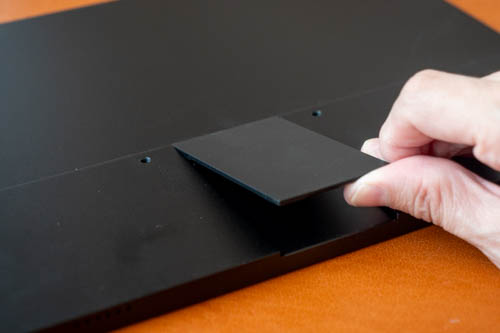
The display comes with a small kickstand which is convenient. And near the hinge of the kickstand are two holes instead of four for VESA mounting, 7.5cm apart.
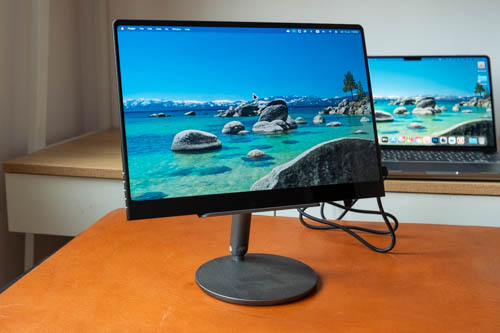
If you plan on using the display at home or in the office, I highly recommend getting a tablet or monitor stand which will make it more ergonomic when looking at the display.
Colour quality
Brightness of the display is up to 500 nits but to achieve that you need to connect the display to external power. The maximum brightness from laptop power source is high but the maximum. And if you power the display with your laptop, make sure to connect the laptop to power source.
My colour calibrators do not work with OLED so I can't tell you exact colour measurements. UPERFECT listed 120% DCI-P3 colour coverage and that's should be easily achievable with an OLED display.
Average delta E of 2. Anything less than 2 is good, less than 1 is fantastic, and I'm surprised that it's not 1 here.
Contrast ratio is 500,000:1 so black is deep black.
You can expect excellent visual quality with this display. Colours are vibrant, contrast is amazing. The 120Hz refresh rate makes all OS animation look smooth and it's great for gaming.
Touchscreen support
Touchscreen works with Windows and not with MacOS though.
Conclusion
This is a pretty straightforward product. It looks good and works well. Having an external display improves productivity instantly.
The price is certainly higher than larger LCD displays, but this is an OLED display with better visual quality so that's what you're paying for.
I personally would go with a larger 16-inch display because that's just more satisfying to work with.
I can recommend the UPERFECT GR14BU.
Pros and cons at a glance
+ Clean simple design
+ Lightweight
+ 2800 x 1800 resolution is sharp
+ Touchscreen works well with Windows, but not with MacOS
+ 120Hz refresh rate
+ Supports USB-C and HDMI video connection
+ Display is bright, vibrant and sharp
+ Built-in kickstand is convenient
- Display always powers on at 20% brightness when using single USB-C video connection
- Hollow-sounding audio
- VESA mounting only has 2 holes
- Display is very reflective
Availability
You can get the UPERFECT GR14BU from UPERFECT online store.
I highly recommend you check out the UPERFECT UColor O (BE156NF) and UPERFECT UColor O2 (GR16HQ) too.


Add new comment